Organize Your Google Gemini Chats with Folders
The folder system Gemini forgot.
Stop losing your best chats. Organize, find, and manage your Gemini conversations with a powerful, intuitive folder system built right into the interface.
The folder system Gemini forgot.
Stop losing your best chats. Organize, find, and manage your Gemini conversations with a powerful, intuitive folder system built right into the interface.
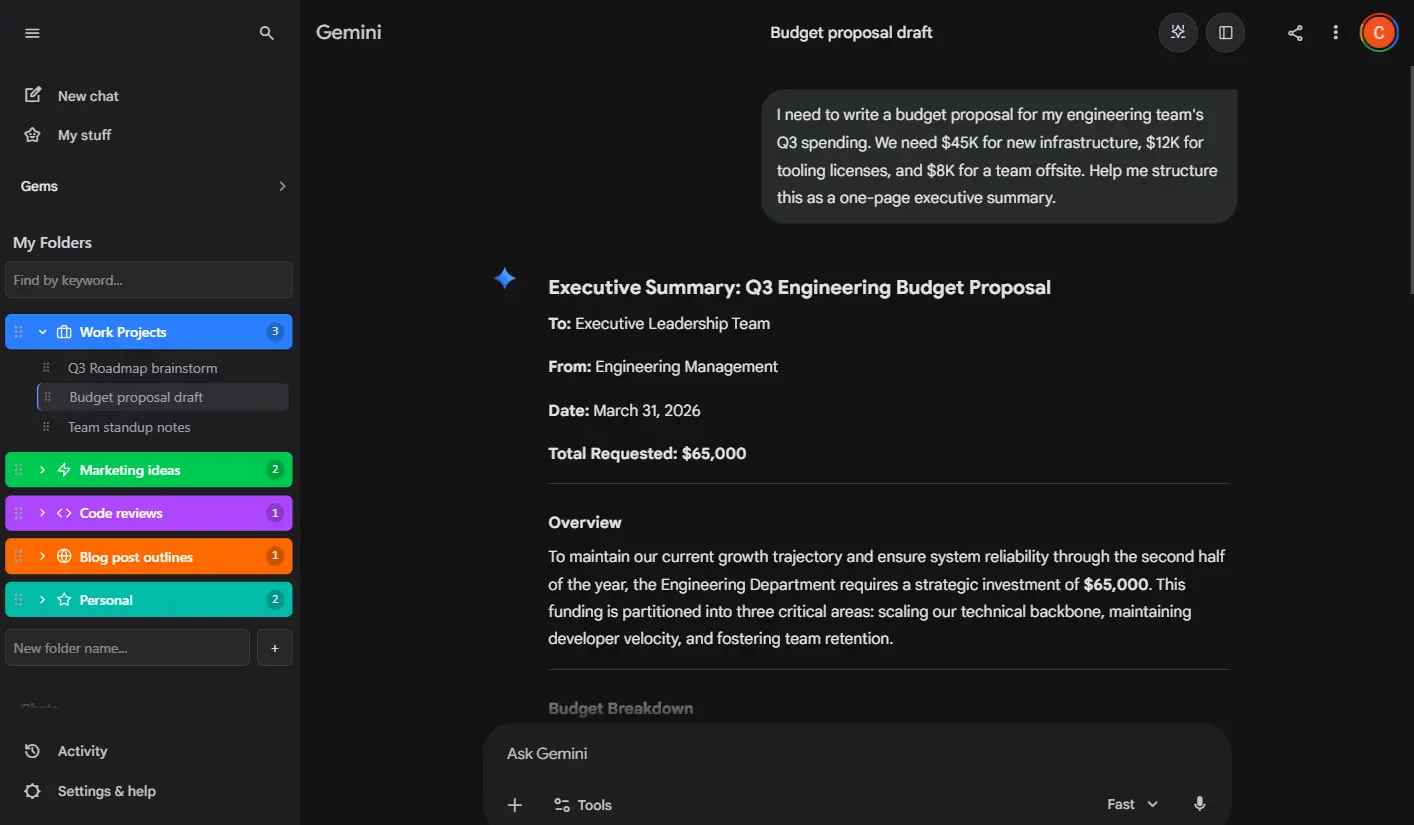
Gemini Folders is a free Chrome extension that adds folder organization to Google Gemini AI chats. It works by adding a sidebar panel directly into the Gemini interface, allowing users to create folders, nest subfolders, drag and drop conversations, and customize their workspace with colors and icons. Folder data syncs across devices via Firebase and is stored securely in each user's own sandboxed database. Gemini Folders never reads or stores chat content. The extension is available on the Chrome Web Store and works on Windows, macOS, Linux, and Chrome OS.
From simple folders to powerful pro features.
Create as many folders as you need to organize your Gemini chats by project, topic, or idea. The free plan includes 2 folders with up to 3 chats each to get you started. Upgrade to Pro for unlimited folders and no chat limits, so your organization can scale with your workflow.
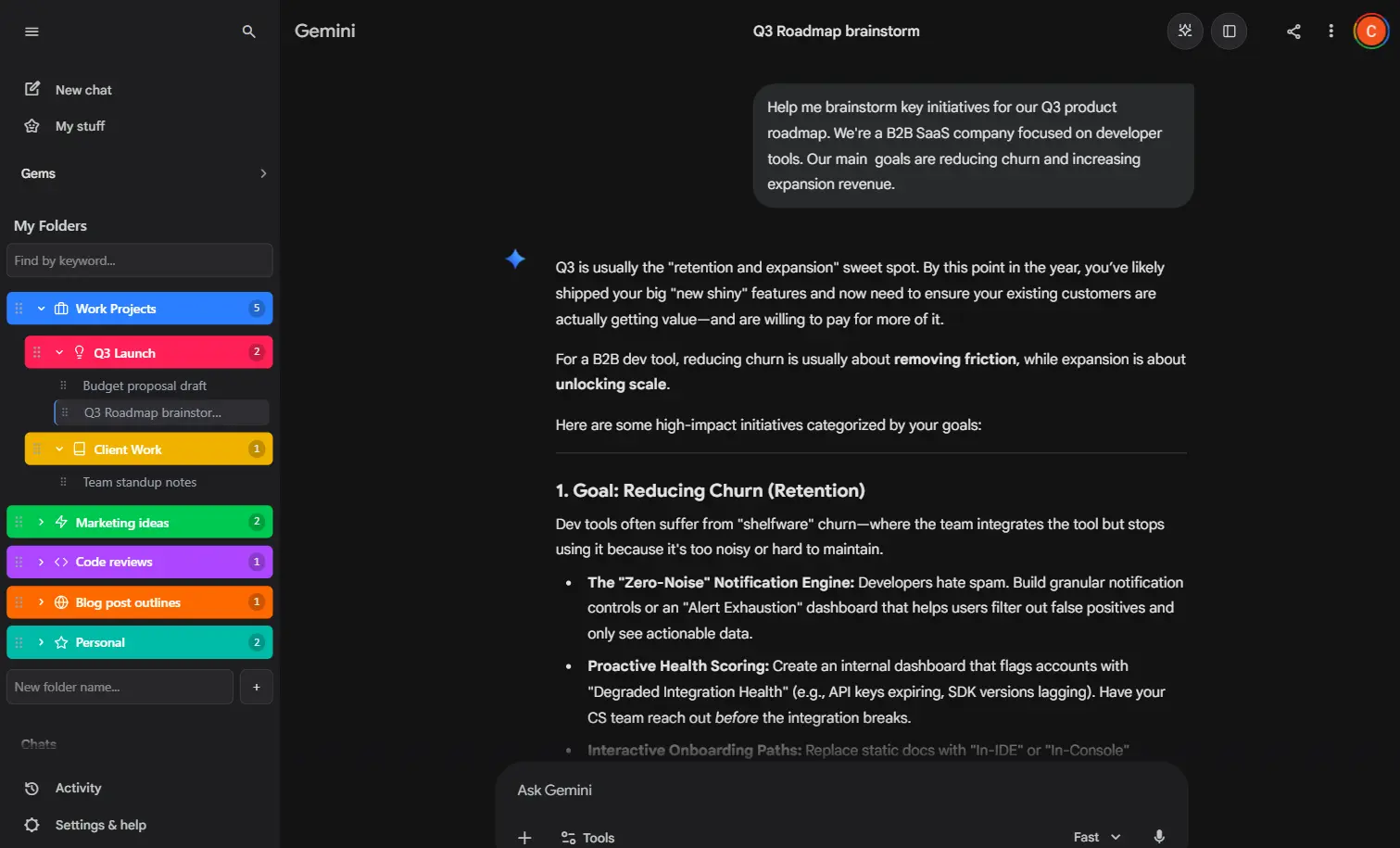
Make your workspace your own. Pro users can customize folder colors and icons to visually separate different projects at a glance. Color-code your research, work, and personal chats so you never have to scan through a flat list again.
Go a level deeper with your organization. Pro users can create folders inside other folders for a full hierarchical structure. Group related conversations under parent folders, then break them into sub-topics — just like a file system on your computer.
Get organized in under a minute.
Add Gemini Folders to Chrome from the Chrome Web Store. It takes just one click and works instantly.
Open Google Gemini and you will see a new folder panel in the sidebar. Create folders for your projects, topics, or ideas.
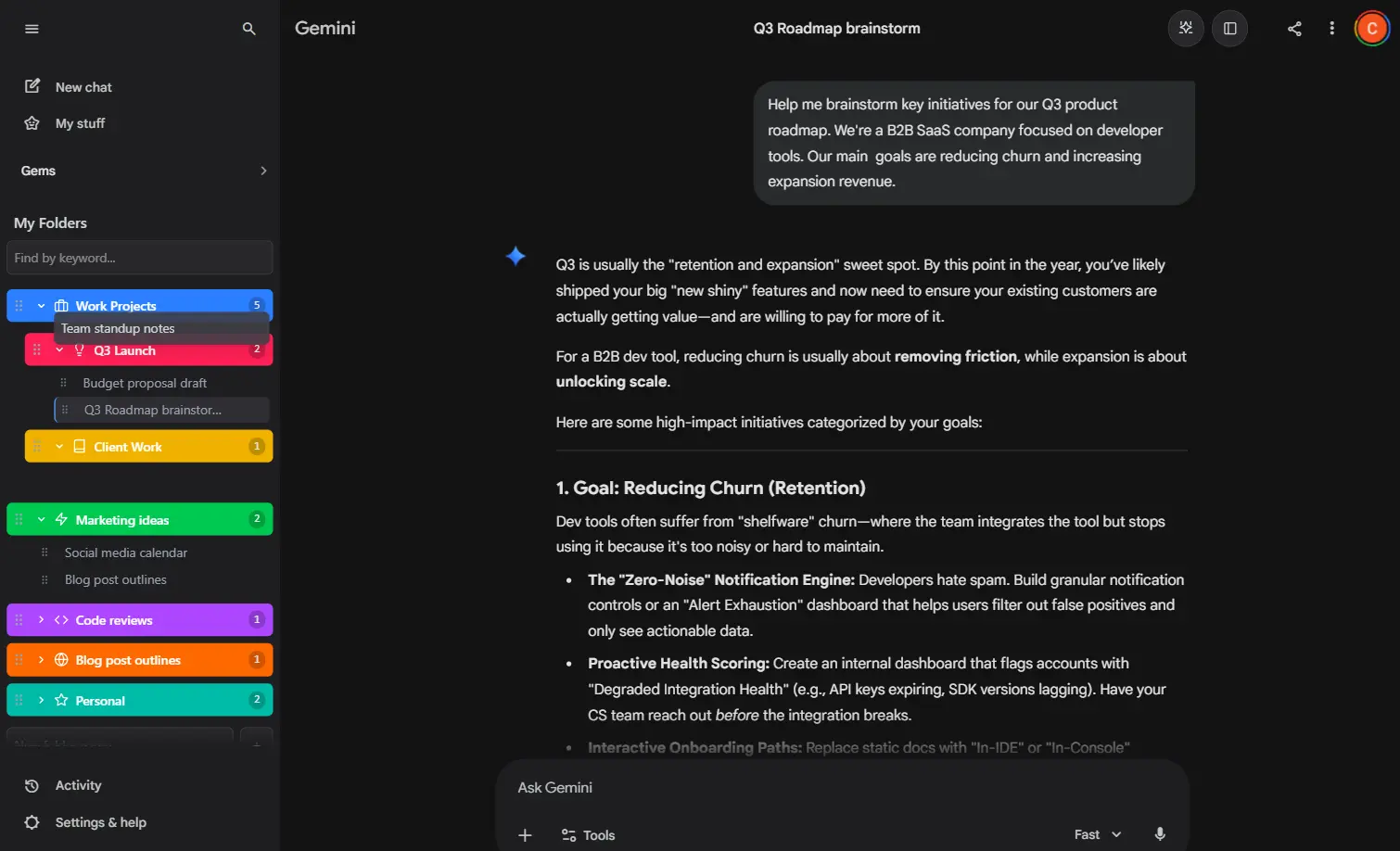
Drag and drop your Gemini conversations into folders. Find any chat instantly, no matter how many you have.
See what each plan includes.
| Feature | Free | Pro |
|---|---|---|
| Folders | 2 | Unlimited |
| Chats per folder | 3 | Unlimited |
| Nested subfolders | - | Yes |
| Custom colors & icons | - | Yes |
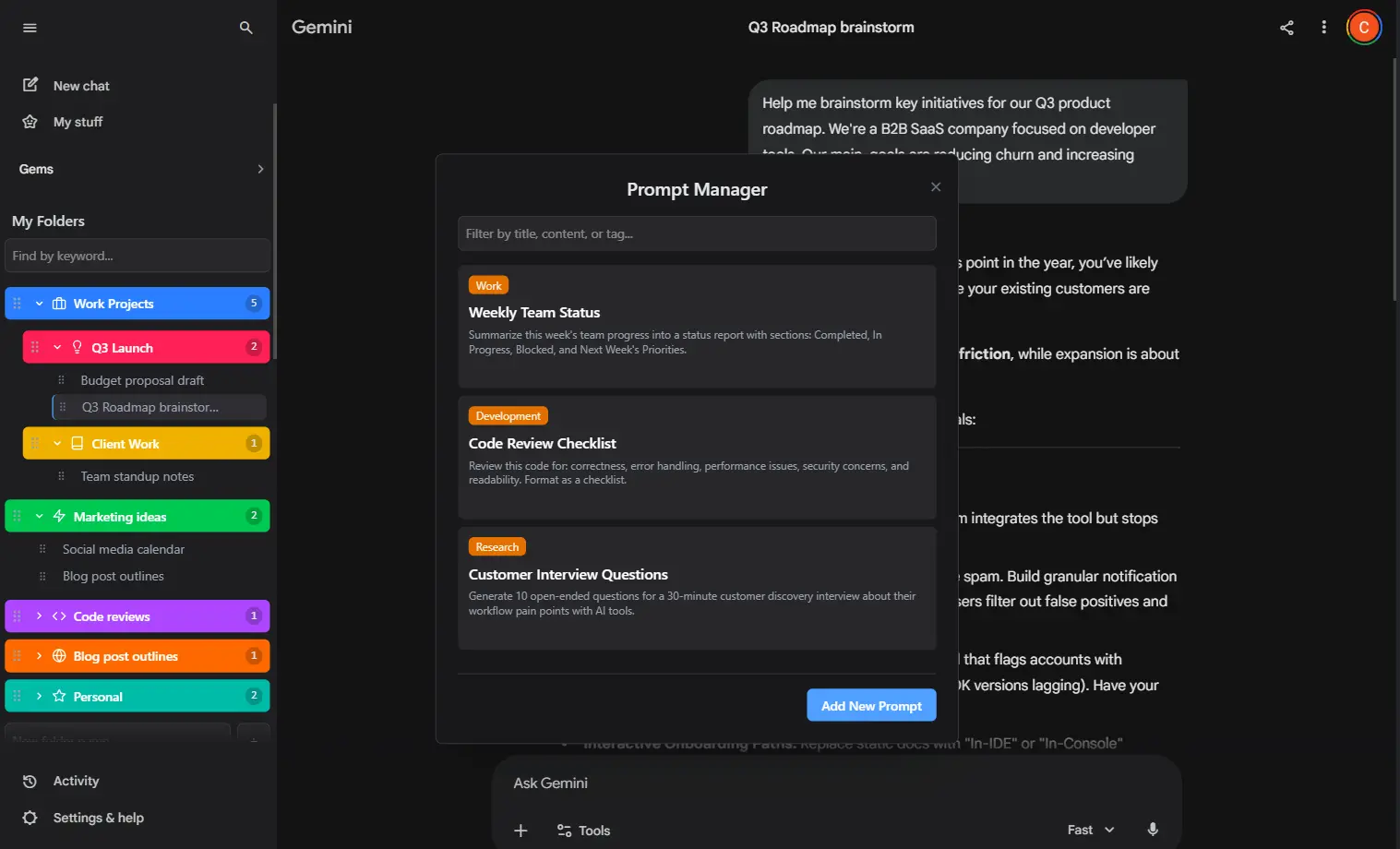
| Prompt Manager | - | Yes |
| Cross-device sync | Yes | Yes |
| Drag & drop | Yes | Yes |
Start for free, upgrade for unlimited power.
$17.99/yr
Save over 50% with our annual plan. All pro features included.
$2.99/mo
Get full access to all pro features, billed monthly.
$23.99/once
Use code LIFETIME50 for 50% off
Pay once, own it forever. Get all current and future pro features.
Absolutely. Your folder data is stored securely in your own Firebase account space. We never see or store your chat content. All payments are handled securely by Stripe.
Your subscription unlocks all pro features. You can manage your subscription at any time through the Stripe customer portal, accessible from the extension's account tab.
If you cancel, you will retain access to all your existing folders and chats, even if you are over the free limits. You will only lose the ability to create new items that exceed the free plan's limits.
Gemini Folders adds a folder panel directly into the Google Gemini sidebar. You can create folders, then drag and drop your chats into them. Your folder structure syncs across all your devices using Firebase, so your organization is always up to date.
Gemini Folders is available as a Chrome extension and works on any platform that runs Google Chrome, including Windows, macOS, Linux, and Chrome OS.
Yes. Your folder structure, chat assignments, and customizations are synced in real time across all devices where you are signed in with the same Google account.
You can read our full Privacy Policy.